

Short answer
The best LMS for most small businesses is TalentLMS. It has a free plan for up to 5 users, published pricing from $119 per month, and a setup simple enough for a manager with no training background.
Connecteam is the better pick for frontline teams of 10 or fewer because its free plan includes every feature. 360Learning suits global and collaborative teams, Trainual suits onboarding and process documentation, LearnWorlds suits businesses that also sell courses, and Absorb LMS suits compliance-heavy teams.
Most small businesses don’t actually have a training department – they just have a manager who onboards new hires between meetings, probably has shared folders of outdated PDFs, and compliance deadlines to pursue.
Having a learning management system (LMS) can fix that only if they choose the right fit for their team of their size.
Below is a list of 9 best LMS services for small businesses in 2026, what each one really costs for 10, 25, and 50 people, and which ones work for teams if you’re running a business outside the US.
Updated October 2026.
In This Article
- What is the best LMS for small business?
- Best LMS services at a glance
- What is an LMS, and does a small business need one?
- How we tested and scored each LMS
- 9 best LMS services for small businesses
- What an LMS costs for 10, 25, and 50 people
- LMS services beyond the software
- Choosing an LMS for global teams
- How to choose the right LMS
What is the Best LMS for Small Business?
For most small businesses, the best LMS is TalentLMS. It actually has a free plan to start on, low per-user pricing as you grow, and a very simple setup that your manager, even if he has no training background, can use to launch its first course.
If TalentLMS isn’t the right fit, these are some of the best alternatives by need:
- Best for onboarding and process documentation: Trainual
- Best for frontline and mobile-first teams: Connecteam
- Best for selling courses as well as training staff: LearnWorlds
- Best for compliance training: Absorb LMS
- Best for global teams: 360Learning
Not sure which category they fall into? Here’s a comparison table that shows price, free plan, user limits, and best fit for all 9 tools side by side.
Best LMS Services at a Glance
| LMS | Starting price | Free plan | User limit at entry tier | Best for |
|---|---|---|---|---|
| TalentLMS | $119 per month (Core) | Yes, up to 5 users and 10 courses | 40 users at the entry price | Most small businesses |
| Connecteam | $35 per month per hub (Basic), or $29 billed yearly | Yes, all features for up to 10 users | 30 users, then per-user fees | Frontline and mobile-first teams |
| 360Learning | $8 per user per month (Team) | No, free trial only | Up to 100 users | Global and collaborative teams |
| Trainual | Quote only (last public rate: $249 per month for 10 seats) | No | 10 seats (last published) | Onboarding and process documentation |
| LearnWorlds | $29 per month (Starter), or $24 billed annually | No, 30-day free trial | 1,000 active learners, 1 admin | Selling courses as well as training staff |
| iSpring Learn | About $8,286 per year for the 100-user band | No, free trial only | Smallest band is 100 users | Teams building courses from PowerPoint |
| GoSkills | Free to start; paid plans priced by team size | Yes | Plans for 5, 10, 20, 50, and 50+ users | Pre-built business skills courses |
| Absorb LMS | Quote only | No | Custom | Compliance training |
| Litmos | Quote only | No | Custom | Growing teams with heavier compliance needs |
Prices in USD, checked in October 2026. Vendors may change their pricing often, so you need to confirm this on each vendor’s site before you actually buy.
What is an LMS, and Does a Small Business Need One?
What Does an LMS Do?
To put it simply, a learning management system (LMS) is software that can help store your training in one place, assign it to the right learners, and track who has actually finished it.
So instead of simply emailing PDFs and hoping people will read them, you can build or upload a course once, enroll employees, and see their completion and quiz results on your dashboard.
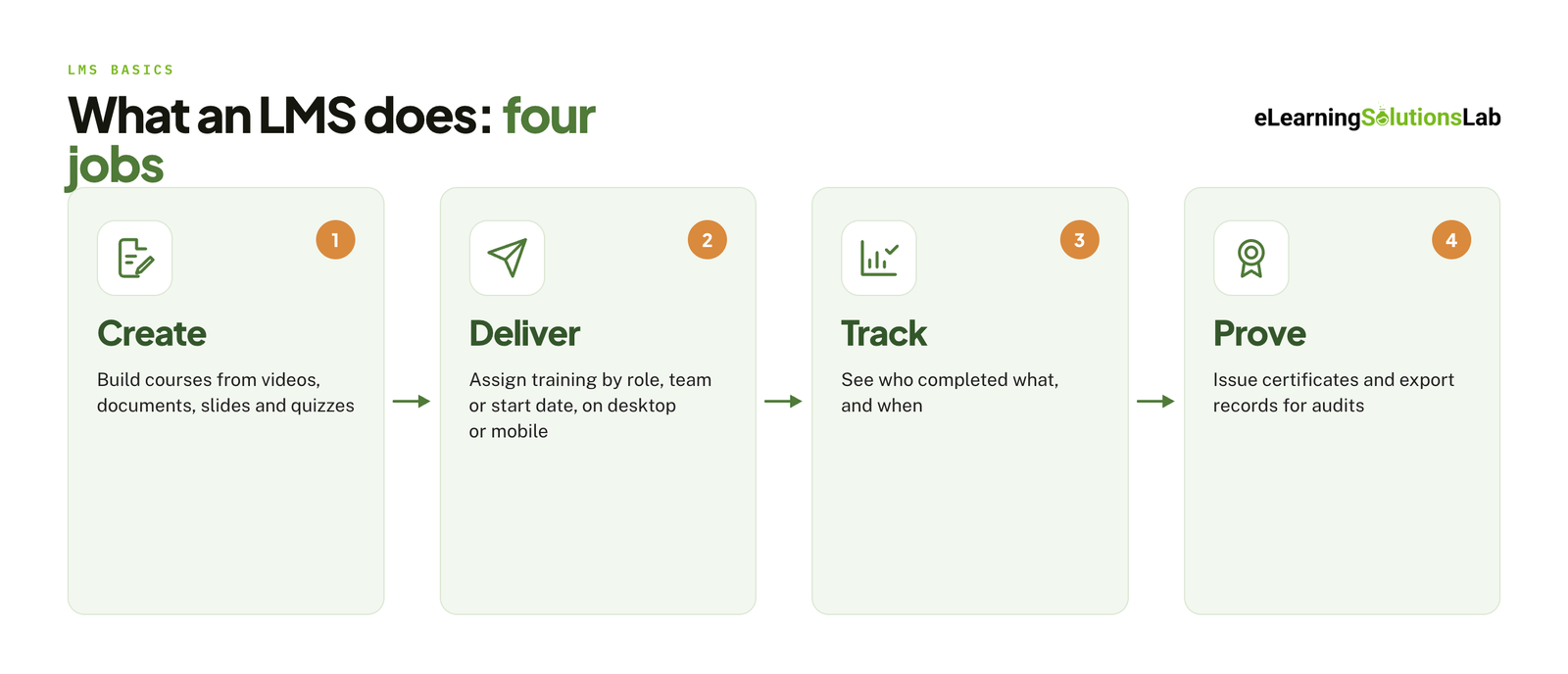
Most small business LMS platforms cover four of these jobs:
- Create – build your courses from videos, documents, slides, and quizzes.
- Deliver – assign training programs by role, team, or start date, on desktop or mobile.
- Track – see who completed what, and when.
- Prove – issue your certificates and export records for audits.
 Someone still has to run all four. Our guide to the LMS administrator role sets out what that workload looks like week to week.
Signs You Need One
You don’t actually need an LMS on day one, but you probably do if several of these situations or contexts are true:
- You hire most often enough that your onboarding already eats your manager’s week every time.
- New hires typically get a different version of their training depending on who shows them around.
- You have required training courses every year (safety, harassment, or data privacy), and there’s no reliable record of who completed it.
- Those same “how do I do this?” type questions from your team keep coming back.
- Your training just lives in scattered folders, old emails, and one person’s head.
- Your team is remote or spread across locations, and you can’t train them all in a room together.
If only one of these applies and you have fewer than five people, a shared drive and a checklist may be enough for now.
If you are still on the fence, our guide do I need an LMS walks through the decision. And if required training is the main driver, a written compliance training plan will tell you what the LMS has to track before you compare tools.
LMS vs Onboarding Tool vs Course Platform
| Category | Built for | Strongest at | Example from this list |
|---|---|---|---|
| LMS | Training employees over time | Courses, quizzes, tracking, compliance records | TalentLMS, Absorb LMS |
| Onboarding and process tool | Documenting how your business runs | SOPs, policies, role-based playbooks | Trainual |
| Course platform | Selling courses to customers | Checkout, marketing pages, student communities | LearnWorlds |
Now, if your main goal is staff training and compliance, you can choose an LMS. If it’s getting processes out of people’s heads, an onboarding tool fits better. But if you want to sell training as your own product, you have to start with a course platform.
For the second and third routes, see our guides to choosing an onboard LMS and the best LMS for training companies.
How We Tested and Scored Each LMS
We signed up for each of these platforms’ free plans or trials, the same way a small business owner would ever do, and we ran every tool through the same test between August and September 2026.
On each platform, we:
- Created an account and timed how long it took to reach a working dashboard.
- Built the same short course: 5 lessons using a video, a PDF, and a 10-question quiz.
- Enrolled our 5 test learners and completed the course on desktop and mobile.
- Pulled a completion report and issued a certificate.
- Contacted support with the same question and recorded the response time.
Scoring Rubric: Each tool was scored out of 100 across our five criteria:
| Criterion | Weight | What we looked at |
|---|---|---|
| Ease of setup and use | 30 points | Time to first published course, how much we needed the help docs |
| Pricing and value | 25 points | Cost at 10, 25, and 50 users, free plan limits, hidden fees |
| Content and course building | 20 points | Course builder, quiz options, pre-built course library |
| Support and services | 15 points | Response time, onboarding help, migration options |
| Integrations and reporting | 10 points | HR and payroll connections, report exports, certificates |
9 Best LMS Services for Small Businesses
1. TalentLMS: Best for Most Small Businesses
- Key features: Drag-and-drop course builder, quizzes, certificates, its AI course creator, mobile apps, and optional library of ready-made courses.
- Pricing: Free for up to 5 users and 10 courses; paid plans start at $119 per month (Core), with a 20% discount for annual billing.
- Pros: Free plan to test with, published pricing, and easy for non-specialists.
- Cons: Their free plan is too small for real use, and typically jump to $119 per month is actually steep for any teams of 6 to 10.
- Skip it if you primarily need SOPs and process documentation rather than just courses.
2. Connecteam: Best for Frontline and Mobile-First Teams
- Key features: Mobile app that combines training courses with scheduling, time clock, checklists, and team chat.
- Pricing: Free with all the features for up to 10 users; their paid hubs start at $35 per month each, which covers the first 30 users, with per-user fees after that.
- Pros: probably the most generous free plan here, and their staff can train on their phones.
- Cons: Training features are seemingly lighter than your dedicated LMS, and costs may add up when you need more than one hub.
- Skip it if your team is desk-based, and you actually need more advanced course authoring or detailed compliance reporting.
If most of your people train on a phone, our guide to mobile learning solutions explains what good looks like on a small screen.
3. 360Learning: Best for Global and Collaborative Teams
- Key features: Collaborative authoring that lets your in-house experts build courses, peer feedback on content, and AI-assisted course creation.
- Pricing: $8 per user per month on their Team plan, for up to 100 users, billed monthly with no annual commitment. They don’t have a free plan, but there is a free trial.
- Pros: Simple per-user pricing, no long contract, and strong for teams that create their own content.
- Cons: No free plan, and their Business tier is quote-only.
- Skip it if you want ready-made courses and don’t actually plan to author your own.
4. Trainual: Best for Onboarding and Process Documentation
- Key features: SOP and policy documentation, role-based assignments, 500+ templates, built-in screen recording, and can test to confirm understanding.
- Pricing: Quote only. Trainual removed its published prices by February 2026; their last public rate was $249 per month for 10 seats.
- Pros: Excellent for capturing how your business can run, and quick to roll out by role.
- Cons: No public pricing and no free plan.
- Skip it if you actually need formal compliance courses or really want to know the price before a sales call.
5. LearnWorlds: Best for Selling Courses as Well as Training Staff
- Key features: Interactive video, assessments, certificates, a website builder, checkout, and community features.
- Pricing: From $29 per month, or $24 per month billed annually; they have no free plan and a 30-day free trial.
- Pros: Low entry price, their polished learner experience, and having one tool for internal and customer training.
- Cons: Starter plan charges $5 per paid enrollment and doesn’t include free courses or certificates. It’s pretty built around selling, so internal staff training really starts on the $99 per month Pro Trainer plan.
- Skip it if you only train employees and will never sell a training course.
6. iSpring Learn: Best for Teams Building Courses from PowerPoint
- Key features: Learning paths, reporting, mobile app, and tight integration with iSpring’s PowerPoint-based authoring tool.
- Pricing: About 8,286 USD per year for the 100-user band; no free plan, but a free trial is available.
- Pros: Published rates, low per-user cost at scale, and easy if your training already lives in slides.
- Cons: Smallest plan that covers 100 users, and their authoring tool is a separate subscription.
- Skip it if you have fewer than about 50 people, given that you would pay for seats that you can’t use.
If your training already sits in slide decks, our guide on how to convert PowerPoint to elearning covers the steps, whichever LMS you pick.
7. GoSkills: Best for Pre-Built Business Skills Courses
- Key features: Library of expert-led business courses, course builder for your own content, and good reporting on your learners and teams.
- Pricing: Free plan that includes unlimited custom courses, and their paid plans are sized for 5, 10, 20, 50, and 50+ users.
- Pros: Usable free plan, ready-made content, and their plans sized for very small teams.
- Cons: Course library costs extra, and paid pricing is pretty hard to find than it should be.
- Skip it if you actually need more industry-specific compliance training rather than just general business skills.
Ready-made courses are a category of their own. Our guides to off-the-shelf elearning and the elearning content library explain how these catalogs are licensed and priced.
8. Absorb LMS: Best for Compliance Training
- Key features: Certification tracking, automated enrollments and reminders, detailed audit-ready reporting, and their AI assistant layer.
- Pricing: Quote only, but with no free plan or self-serve trial. One 2026 estimate can put your typical small-business contract at about $14,500 per year for roughly 500 learners.
- Pros: Your strongest compliance and reporting tools on this list and can scale well.
- Cons: Enterprise pricing and a sales process before you actually see a number.
- Skip it if you have fewer than 50 people or have no regulatory training requirement.
An LMS tracks compliance training but doesn’t supply the courses. For those, see our roundup of the top compliance elearning providers.
9. Litmos: Best for Growing Teams with Heavier Compliance Needs
- Key features: Core LMS plus an optional library of compliance and skills content.
- Pricing: Quote only, with no free plan, but their public buyer data shows a median contract of $26,400 per year.
- Pros: LMS and content from one vendor, and they’re built for regulated industries.
- Cons: Priced well above most small-business budgets, and bundling the content library can raise the per-user cost significantly.
- Skip it if you’re under 100 people or want a tool you can start using today.
What an LMS Actually Costs for 10, 25, and 50 People
Starting prices hide how differently these tools charge. Some bill per user, some bill a flat fee for a block of users, and some won’t show a number at all. The table below puts the same three team sizes against each tool’s cheapest workable plan.
| LMS (plan) | 10 people | 25 people | 50 people | How it bills |
|---|---|---|---|---|
| Connecteam (HR & Skills hub, Basic) | $0 | $35 per month | $47 per month | Flat fee for 30 users, then $0.60 per extra user |
| 360Learning (Team) | $80 per month | $200 per month | $400 per month | $8 per user |
| LearnWorlds (Pro Trainer) | $99 per month | $99 per month | $99 per month | Flat fee, up to 2,000 active learners |
| TalentLMS (Core) | $119 per month | $119 per month | Above $119: moves to the 41 to 70 user bracket | Flat fee by user bracket (1 to 40, 41 to 70, 71 to 100) |
| iSpring Learn (100-user band) | About $690 per month | About $690 per month | About $690 per month | Billed annually; smallest band is 100 users |
| GoSkills | Free plan to start; paid price depends on team size and whether you add the course library | Plans sized by number of users | ||
| Trainual, Absorb LMS, Litmos | Quote only | Custom contract after a sales call | ||
Monthly-billing prices in USD, checked October 2026. Annual billing lowers TalentLMS and LearnWorlds by 20% and Connecteam by 18%. TalentLMS and Connecteam also have free plans for 5 and 10 users.
Two things stand out. Per-user pricing is cheapest when you are small and gets expensive quickly, while flat pricing does the opposite. And the gap between the cheapest and most expensive option at 10 people is wider than it is at 50, so team size should narrow your shortlist before features do.
If budget is the deciding factor, our roundup of affordable LMS systems covers more low-cost options.
Hidden Costs to Plan For
- Content – an empty LMS trains nobody. Budget for a course library add-on, or for the time and money to build your own. Our breakdown of elearning development costs shows what custom courses run to.
- Add-ons – ready-made course libraries, authoring tools, and branded mobile apps are often priced separately from the platform.
- Enrollment and transaction fees – some entry plans charge per enrollment, which matters if you plan to sell courses.
- Admin time – someone has to build courses, enroll people, and chase overdue training. In a small business that is usually a manager’s hours.
- Outgrowing a bracket – one extra hire can move you to the next pricing tier, so check the price of the tier above the one you start on.
In one line
Under 10 people, start on a free plan. Between 10 and 50, compare a flat-fee tool against a per-user tool at your exact headcount. Only take a sales call for a quote-only platform if you have a compliance requirement the cheaper tools can’t meet.
LMS Services Beyond the Software
The keyword says “services” for a reason. A small business rarely has someone who can set up, migrate, and maintain a platform, so the help that comes with the software matters as much as the feature list.
Implementation and Onboarding Help
Ask what setup support is included at the price you will actually pay. Among the tools above, guided onboarding usually improves as you move up the plans. TalentLMS, for example, includes a consultation call on its entry plan and expert-led onboarding sessions on higher ones, and LearnWorlds adds setup time with a specialist on its Learning Center plan.
Quote-only vendors usually handle implementation for you, which is part of what the higher price pays for.
Migration
If your training lives in PowerPoint files, PDFs, or an older system, moving it is the slowest part of switching. Check three things:
- Standards – whether the LMS imports SCORM packages, so courses built elsewhere still launch and track. Our guide to SCORM compliance requirements explains what to look for.
- Records – whether learner histories and certificates can be imported, not only the course files.
- Who does the work – some vendors offer done-for-you migration, sometimes as a paid service.
Older courses built in formats that no longer run may need rebuilding first, which is where legacy content conversion services come in.
Support Quality
Check which channels come with your plan. Email support is close to universal, while live chat, phone support, and a named account manager are often reserved for higher tiers. Send a real question during your trial and time the reply, since that is the support you will get as a customer.
If you would rather hand the day-to-day running to someone else, our guide to LMS support services covers what outside administrators take on.
Integrations
An LMS that connects to your HR or payroll system can enroll new hires automatically and remove leavers without anyone touching it. Ask which connections are built in and which need a paid add-on or a developer. Our guide to LMS integration explains what to check before you sign.
Choosing an LMS for Global Teams
If part of your team works outside the US, a platform that works well for an American office can fall short in three places.
Languages
There are two separate questions. The first is whether the learner interface, including menus, emails, and certificates, is available in your team’s languages. The second is whether your course content is. Some platforms now include AI translation for courses, and TalentLMS lists it for more than 40 languages, but machine translation still needs a fluent reviewer for anything safety or compliance related.
Our guide to multilingual elearning explains what a full rollout involves. Where a course needs more than a word-for-word translation, elearning translation services and elearning localization services can adapt the examples, images, and scenarios for each audience.
Currencies and Tax
Most of these vendors price in US dollars, so your real cost moves with the exchange rate. Some show different prices by country, and published prices often exclude VAT or sales tax. Ask for a quote in your own currency where one is offered, and confirm the tax treatment before comparing totals.
Regional Compliance and Data
Compliance courses are written for a specific legal system, so a harassment or data privacy course built for US law can be inaccurate elsewhere. Ask which jurisdictions any bundled compliance content covers.
Then ask where learner data is stored and whether the vendor will sign a data processing agreement. This matters most if you have staff in the EU or UK, where data protection rules apply to training records too.
How to Choose the Right LMS for Your Business
Feature lists look alike across vendors. These six checks separate the tools that will actually get used from the ones that won’t.
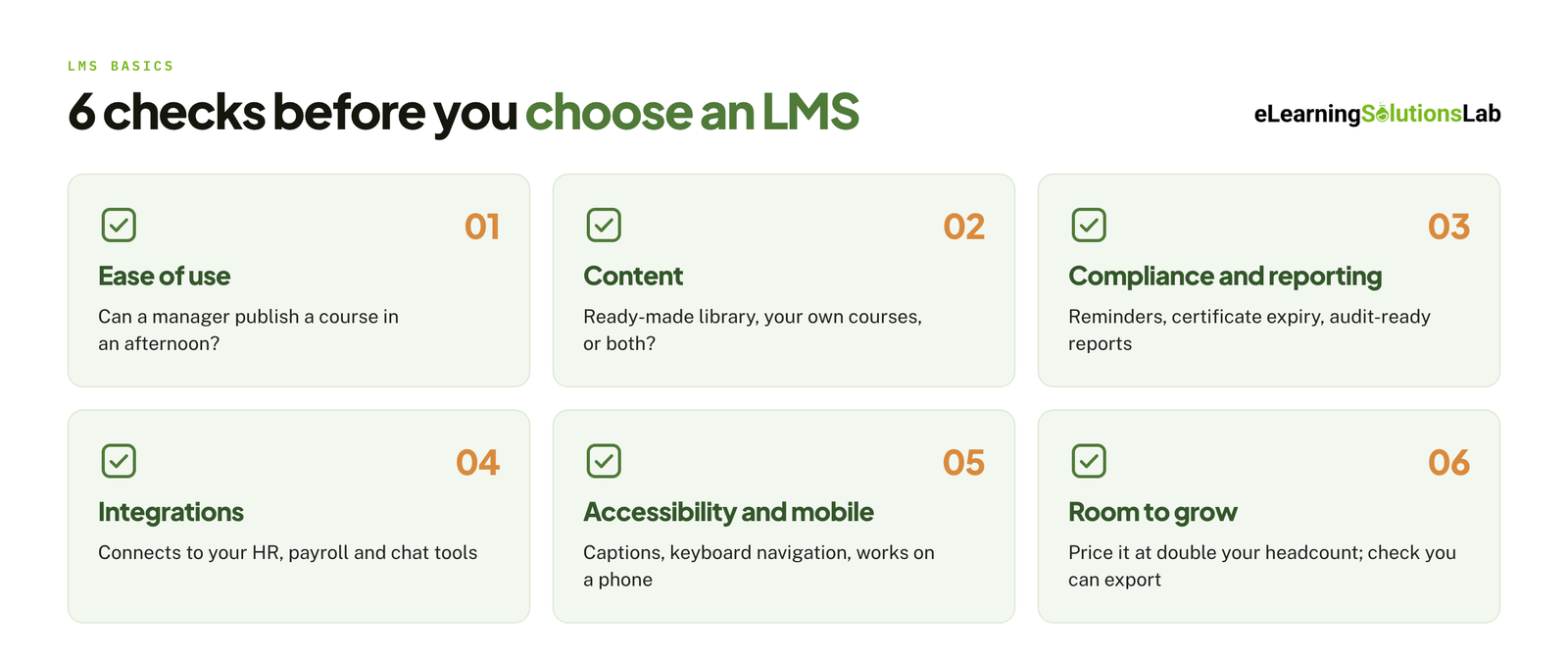 Ease of use without an L&D team – build a real course during the trial. If a manager can’t publish one in an afternoon without the help docs, the tool is too heavy for your team.
- Content: ready-made or build your own – decide whether you need a pre-built library, your own courses, or both. Generic skills can be licensed, while training on your products and processes has to be built.
- Compliance and reporting – if you have required training, check for automatic reminders, expiry dates on certificates, and a report you could hand to an auditor.
- Integrations – confirm that it connects to the HR, payroll, and chat tools you already use.
- Accessibility and mobile – check captions, keyboard navigation, and how courses behave on a phone. Our guide to accessible elearning lists what to look for.
- Room to grow – price the plan you would need at double your current headcount, and check that you can export your courses and records if you leave.
Pro tip
Shortlist two tools and run the same pilot on both: one real course, five real employees, two weeks. Compare completion rates and ask the five which one they would rather use. Their answer is worth more than any feature comparison.
Once the LMS is running, track completions and outcomes and not only logins. Our guide to elearning ROI shows how to turn those numbers into a case for keeping or changing the tool.
Picked your LMS? Now it needs courses.
At eLearning Solutions Lab, we build the courses an LMS doesn’t come with: training on your own products, processes, and policies, packaged to run in whichever platform you choose. Design, development, and QA are handled by one team. Send us your content and we’ll come back with a scope, a price, and a delivery date before you commit to anything.
Related Reading
- Sales training LMS – platforms built around training a sales team.
- Elearning for franchises – training the same way across many small locations.
- Blended learning software – tools that combine online courses with live sessions.
- Top elearning content providers – where to license ready-made courses for your LMS.
- Best elearning authoring tools – software for building your own courses.
- How to create effective elearning courses – the design process for the courses you build yourself.
The Author

Book A Discovery Call
Our Learning Advisors are happy to walk you through your project step-by-step — content, timeline, and fixed pricing.
Get Your Free QuoteNo obligation — just a focused conversation. Proposal within 24 hours.
You may also like
Software for Training Companies: Best Tools and How to Choose (2026 Guide)
Short answer Training companies need a training management system (TMS) to…
How to Choose an LMS: A 7-Step Guide (With Free Scorecard)
Short answer To choose an LMS, define your goals and learners first, then…