

Short answer
eLearning delivery is how finished digital training reaches learners and how their progress gets tracked.
The seven main methods are an LMS, an LXP, a course website or marketplace, SCORM dispatch, a mobile learning app, virtual instructor-led training, and email or shared drives. The right one depends on your audience, tracking needs, budget, scale, and the devices your learners use.
eLearning delivery is where good training succeeds or quietly fails. If you pick the wrong channel, you can lose tracking, frustrate learners on slow connections, or end up just emailing zip files that no one really opens. But if you pick the right one, your course can reach every learner, on any device, with data you actually need to prove it worked.
In this guide, we compare 7 eLearning delivery methods side by side, from LMS platforms to mobile apps and live virtual sessions. You’ll also get a simple framework for choosing between them, a pre-launch checklist, fixes for the most common delivery problems, and the metrics that show whether your delivery is working.
This guide is vendor-neutral, so the advice below applies whatever LMS, platform, or authoring tool you use. Updated September 2026.
In This Article
What is eLearning Delivery?
eLearning delivery is the process of getting digital training to learners and tracking how they use it. It mainly covers three things: the channel learners reach the course through, the format the content takes, and the system that records progress, completion, and results.
1. Channel
Where learners reach the course, such as an LMS, app, or website.
2. Format
What the content takes the shape of, from modules and video to live sessions.
3. Tracking
The system that records progress, completion, and results.
In practice, eLearning delivery answers a few simple questions:
- Where will learners find the course?
- Can they take it on a phone, a laptop, or offline?
- Will you know who finished it and how they scored?
- Can you update it later without resending everything?
The answers here really depend on your audience. An internal compliance course for 5,000 employees might need a very different delivery from a paid course that is sold to individuals online, even if the content looks pretty similar.
Delivery vs Development vs Design
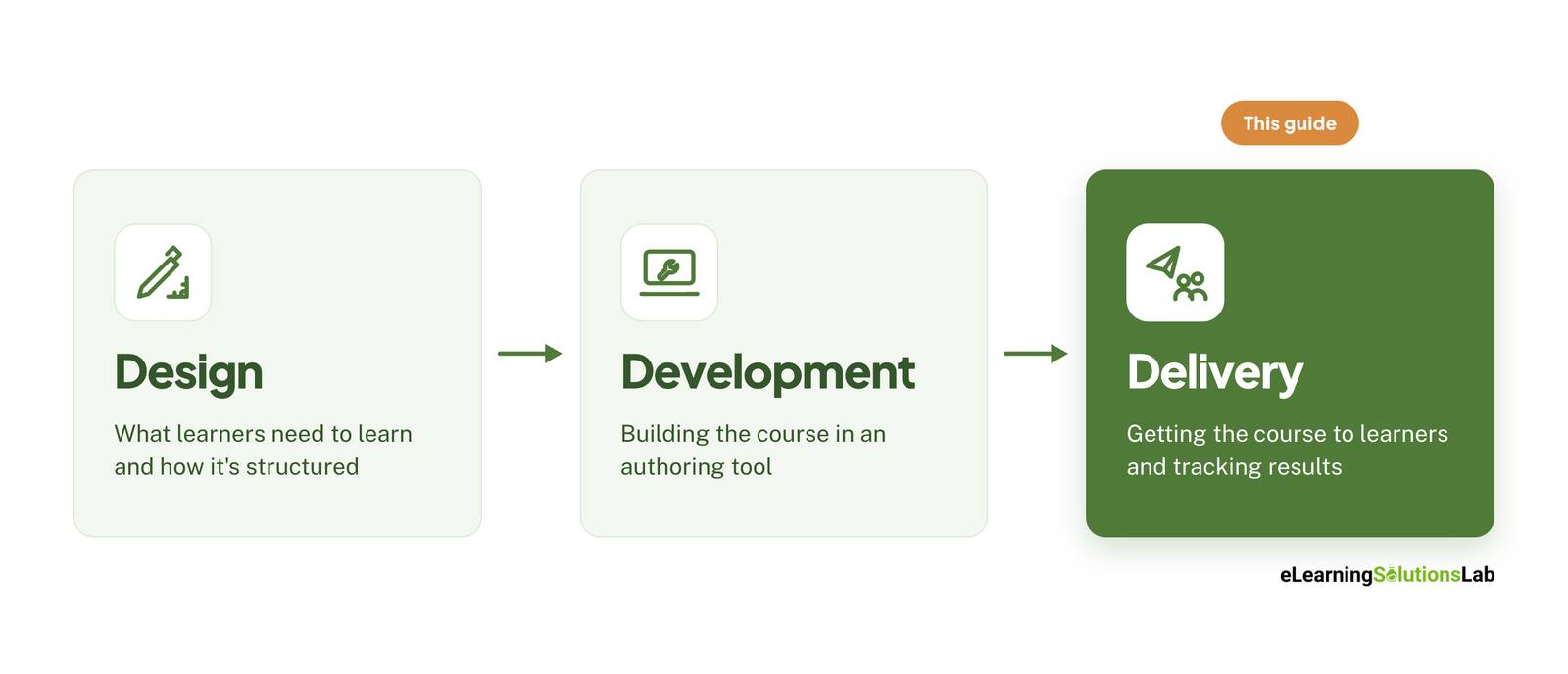
These three terms often get mixed up, but each truly covers a separate stage of the process:
- Instructional design decides what learners need to learn and how the learning should be structured. Instructional design services cover this stage.
- Development builds the course itself, usually in an authoring tool like Articulate Storyline, Rise, or Adobe Captivate. Our roundup of the best elearning authoring tools compares the options.
- Delivery puts the finished course in front of learners and tracks the results from the program.
Now, a well-designed, well-built course can still fail if the eLearning delivery is just an afterthought. That’s why it pays to really plan your delivery method early, before any development locks in formats and file types that may not suit your channel. For the course-level principles behind this, see how to create effective elearning courses.
3 eLearning Delivery Modes
Every delivery method falls into one of these three modes: synchronous, asynchronous, or blended. Choosing the mode first will help narrow your channel options and shape how learners experience your course.
Synchronous Delivery
Synchronous eLearning happens in real time, so your learners and the instructor meet at a set time, usually in a virtual classroom, webinar, or live video session on tools like Zoom, Microsoft Teams, or Webex.
It can work best when your learners need discussion, live practice, or quick answers from an expert. The trade-off here is scheduling: getting everyone online at the same time is difficult across shifts and time zones, and sessions are harder to scale.
Asynchronous Delivery
Asynchronous eLearning is self-paced, as your learners open the course whenever it suits them, often through an LMS, a mobile app, or a course website. Formats here include interactive modules, recorded video, microlearning, and podcasts. Our guide to on demand training covers how to set this up.
This is actually the most scalable mode, and it can fit busy or distributed teams well. The downside here is that your learners work alone, so their motivation and completion can drop without reminders or support.
Blended Delivery
Blended learning combines self-paced online content with live sessions, either virtual or in person. A common pattern here is to cover the theory online first, then use live time for discussion, role-plays, and practice. If you’re comparing platforms that support both, see our guide to blended learning software.
Research suggests the live component matters more for engagement than for raw knowledge gain. A 2018 randomized controlled trial of 608 Australian public servants compared an eLearning-only Mental Health First Aid course with a blended version that added a 4-hour face-to-face session. In this context, knowledge gains were similar in both groups. However, the blended group completed the online course more often (64.8% vs 55.3%), and far more said they learned “a great deal” (61.5% vs 36.6%).
Comparing the Three Modes
| Mode | Best for | Main drawback |
|---|---|---|
| Synchronous | Discussion, live practice, expert Q&A | Hard to schedule and scale |
| Asynchronous | Large or distributed audiences, compliance, onboarding | Lower motivation without support |
| Blended | Skills training, behavior change, high-stakes topics | More cost and coordination |
Simple rule of thumb: use asynchronous delivery for knowledge, and add synchronous time when your learners need to practice or discuss.
7 eLearning Delivery Methods Compared
Once you’ve picked the right eLearning mode, you need a channel – it’s the actual place where your learners go to take the course. Here are 7 of the most common options, from full-featured platforms to the shortcuts you should avoid.
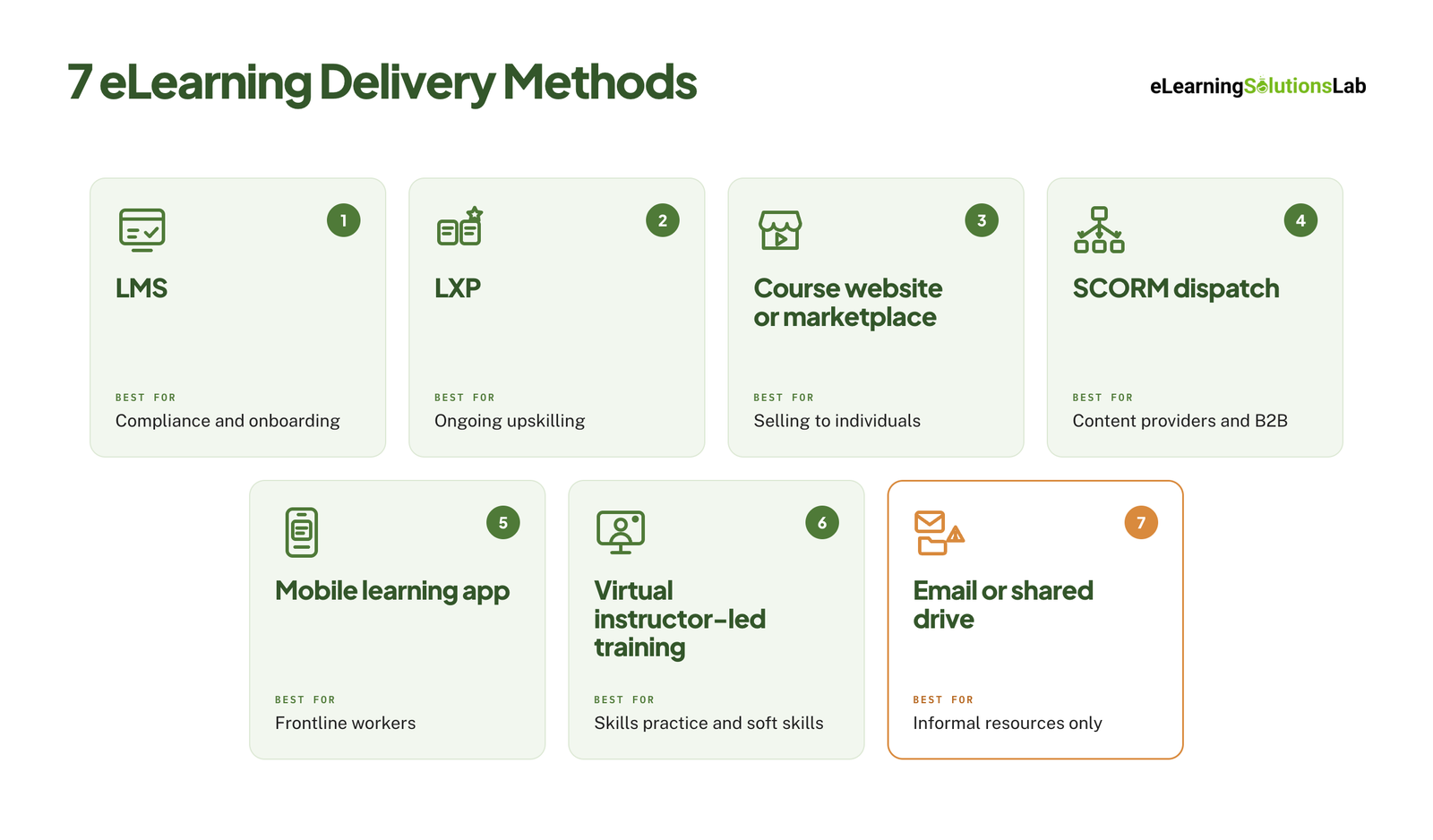
1. Learning Management System (LMS)
An LMS is software that can host courses, enroll learners, and track their progress. It’s usually the default choice for most organizations, especially for compliance, onboarding, and certification.
- Best for: Internal training where you actually need to prove who completed what.
- Pros: Good for tracking and reporting, SCORM/xAPI support, automated enrollments and reminders, and certificates.
- Cons: Licensing costs, setup time, and learner experiences that can feel rigid.
- Tracking: Full (completion, scores, time, reports).
Not sure you need one yet? Our guide do I need an LMS walks through the decision, and our list of affordable LMS systems helps if licensing cost is the concern.
2. Learning Experience Platform (LXP)
An LXP is a learner-centered platform that can recommend content, much like a streaming service. It can pull in courses, videos, articles, and external resources, and your learners choose what to explore.
- Best for: Ongoing skills development and self-directed learning cultures.
- Pros: Personalized recommendations, social learning, and a wide range of content types.
- Cons: Weaker compliance tracking than an LMS, and it usually needs a steady supply of content.
- Tracking: Moderate to full, depending on the platform (often xAPI-based).
3. Course Website or Marketplace
This usually means selling or sharing courses through your own website (built on course platforms like Thinkific, Teachable, or Kajabi) or a marketplace like Udemy.
- Best for: Selling courses to individual learners.
- Pros: Built-in eCommerce, branding control, and easy sign-up for the public.
- Cons: Limited enterprise reporting, and marketplaces can take a revenue share and own the customer relationship.
- Tracking: Basic (enrollments, progress, and completion).
4. SCORM Hosting or Dispatch
With SCORM dispatch, you can host one master copy of a course and send lightweight “pointer” files to your clients’ LMSs. When your learners open it, the content streams from your server. SCORM Cloud is a common example.
- Best for: Training companies and content providers that serve many B2B clients.
- Pros: Update once and every client gets the change, license control, and usage data per client.
- Cons: Extra technical setup and ongoing hosting fees.
- Tracking: Full, split between your dashboard and your client’s LMS.
If you’re a training provider weighing platforms, see our picks for the best LMS for training companies.
5. Mobile Learning App
This is a dedicated app (or mobile-first LMS app) that delivers training directly to phones, often in short microlearning bursts.
- Best for: Frontline, field, retail, and deskless workers.
- Pros: Learning on the go, push notifications, and offline downloads in many apps.
- Cons: Small screens limit complex content, and custom apps are costly to build.
- Tracking: Full, if the app connects to an LMS or LRS.
Our guide to mobile learning solutions covers the options in more depth, and microlearning services can turn long modules into phone-sized lessons.
6. Virtual Instructor-Led Training (VILT)
VILT is live, instructor-led training that is delivered online through video platforms, often with breakout rooms, polls, and shared whiteboards.
- Best for: Soft skills, leadership, complex topics, and practice-heavy sessions.
- Pros: Real-time interaction, expert feedback, and a sense of cohort.
- Cons: Scheduling across time zones, instructor costs, and limited scale per session.
- Tracking: Limited (attendance, and whatever you record manually or sync to an LMS).
VILT is a common format for leadership development elearning. If you’d rather turn a classroom course into self-paced content instead, ILT to elearning services handle the conversion.
7. Email or Shared Drives (and Why It Fails)
Many teams still share courses by emailing files or posting links on Google Drive, Dropbox, or SharePoint. Though it feels quick and free, it can create problems fast:
- No tracking: You can’t tell who opened, finished, or passed the eLearning course.
- Broken content: SCORM packages won’t run properly outside an LMS or SCORM player.
- Version chaos: Old copies can keep circulating after you update the course.
- Security risk: Files are easy to forward to people who shouldn’t have them.
Use this only for informal, one-off resources, and never for training you need to prove or measure. If your training currently lives in slide decks sent by email, convert PowerPoint to elearning services can turn them into trackable courses.
Side-by-Side Comparison
| Method | Cost | Tracking | Scale | Offline access | Best for |
|---|---|---|---|---|---|
| LMS | Medium-High | Full | High | Some platforms | Compliance, onboarding |
| LXP | High | Moderate-Full | High | Some platforms | Ongoing upskilling |
| Course website or marketplace | Low-Medium | Basic | High | Rare | Selling to individuals |
| SCORM dispatch | Medium | Full | High | No | Content providers, B2B |
| Mobile app | Medium-High | Full | High | Often | Frontline workers |
| VILT | Medium-High | Limited | Low-Medium | No | Skills practice, soft skills |
| Email or shared drive | Free | None | Low | Yes (download) | Informal resources only |
Costs are relative, not quoted prices. Features and pricing vary by vendor, so confirm details before you commit.
How to Choose the Right Delivery Method
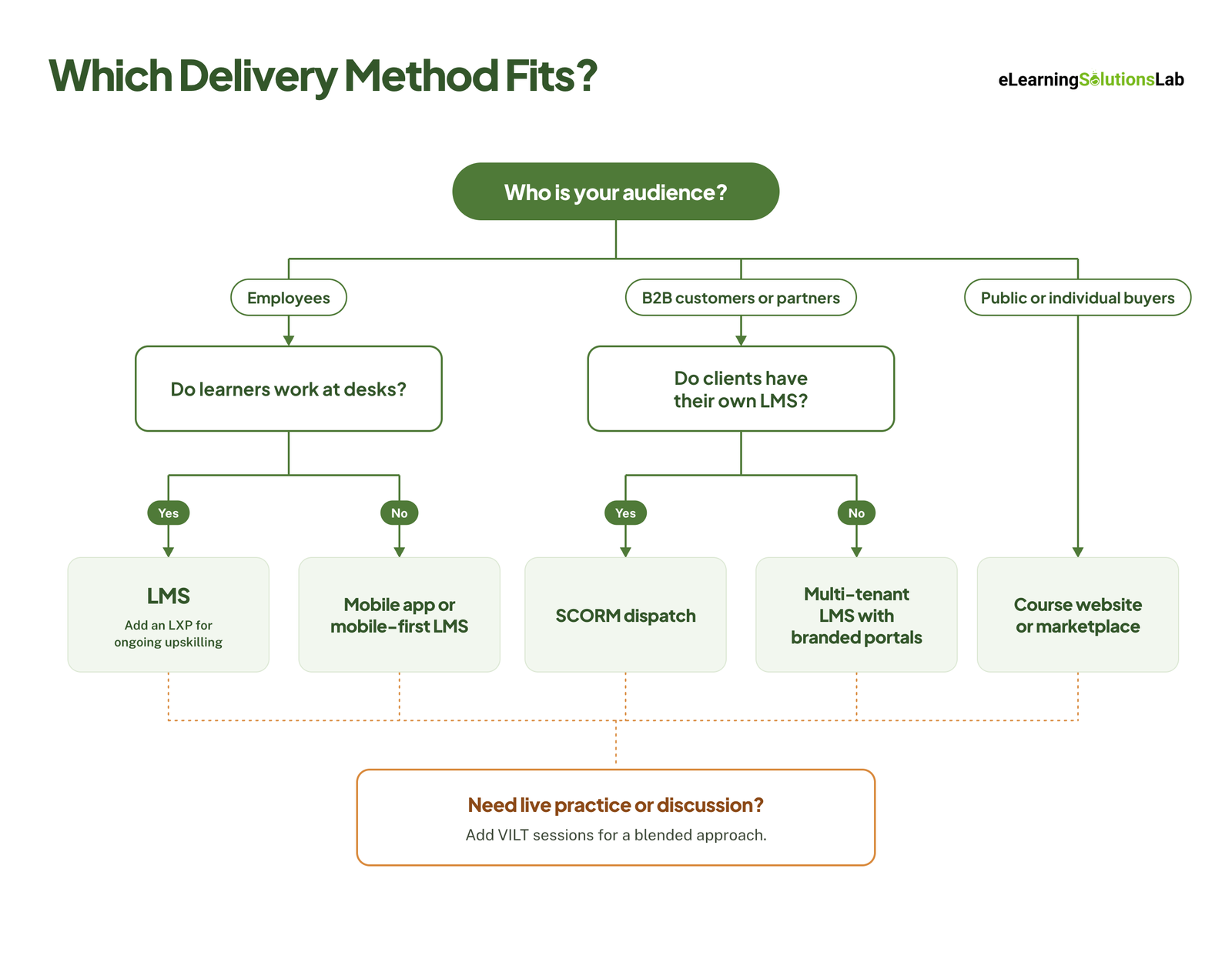
There’s no single best delivery method. When you answer these five questions, it’ll become clear which delivery method is the right choice.
5-Question Decision Matrix
| Question | If your answer is… | Consider |
|---|---|---|
| 1. Who is the audience? | Employees | LMS or LXP |
| B2B customers or partners | LMS with multi-tenant portals, or SCORM dispatch | |
| Public or individual buyers | Course website or marketplace | |
| 2. What do you need to track? | Completion only | Any LMS or course platform |
| Scores, pass/fail, certifications | LMS with SCORM 2004 or cmi5 | |
| Detailed behavior, apps, offline activity | xAPI with a learning record store (LRS) | |
| 3. What’s your budget and team capacity? | Small budget, small team | Course platform or a simple cloud LMS |
| Dedicated L&D team | Full LMS, LXP, or blended programs | |
| 4. How many learners, and how fast will you scale? | Dozens | VILT or a lightweight platform |
| Thousands, growing fast | LMS with automation, or SCORM dispatch | |
| 5. Where and on what devices do people learn? | Desks and laptops | Any web-based channel |
| Phones, the field, or the shop floor | Mobile app or a mobile-first LMS | |
| Low bandwidth or no internet | App with offline downloads that syncs progress later |
You can work through the questions in order, given that the audience question matters most, and it rules out whole categories before you compare features.
Internal Employees vs B2B Customers vs Direct-to-Consumer
Each audience type should point toward a different setup.
Internal employee training needs reliable tracking above all. Compliance, onboarding, and certification records must hold up in an audit, so your LMS is the usual backbone. You can add an LXP if you want to encourage ongoing, self-directed learning. A compliance training plan helps you map which courses need audit-ready records.
B2B customers and partners need separate, branded spaces for each client organization, plus reporting each client can see. You have to look for an LMS that can support multiple portals (often called multi-tenancy). If your clients already have their own LMSs, SCORM dispatch will let you deliver into them while keeping control of the content. Our guide to customer onboarding training covers this audience in more detail.
Direct-to-consumer learners need easy sign-up and payment. A course website with built-in e-commerce, or a marketplace, fits best. Detailed reporting matters less here than a smooth buying and learning experience.
Example Scenarios
- Annual compliance training for 5,000 staff – a company must train every employee on data privacy each year and prove it to auditors. Best fit: an LMS with automated enrollment, reminders, and completion reports, publishing in SCORM. Add a mobile app if many staff don’t work at desks.
- A paid course for individual learners – a consultant wants to sell a 6-module project management course to professionals worldwide. Best fit: a course website with e-commerce and simple progress tracking. Short optional live Q&A sessions can turn it into a blended course and lift completion.
- Certification for a partner network – a software company must certify 300 reseller partners in 12 countries, each with its own LMS. Best fit: SCORM dispatch, so partners run the course inside their own systems while the company updates one master copy. Plan for multilingual elearning early if partners need the course in their own language.
Pre-Launch eLearning Delivery Checklist
Most delivery problems show up in the first week after launch, when fixing them is most visible and most costly. Run through these steps before you open a course to learners.
1. Get Final Stakeholder and SME Sign-Off
Confirm the content is accurate and approved before it’s published. Record who signed off and on which version, so no one launches from an outdated file.
2. Run a Final QA Pass
Check every screen for typos, broken links, missing media, and quiz answers that are marked wrong. Test every path through the course, not just the one a perfect learner would take. Our guide to elearning development best practices covers QA in more depth.
3. Test the Package in Your LMS
Upload the course to a staging area of your LMS, or to a free test environment like SCORM Cloud, and check that:
- The course launches without errors.
- Completion and pass/fail statuses report correctly.
- Scores match what the learner earned.
- Bookmarking works, so learners resume where they left off.
How to create SCORM content explains the publish settings that control these.
4. Test on Real Devices and Browsers
Open the course on the devices your learners actually use: Windows and Mac laptops, iPhones, Android phones, and tablets. Check it in the main browsers, and on a slow connection if some learners work in the field.
5. Check Accessibility
Make sure the course works with a keyboard only, that videos have captions, and that screen readers can read every screen. Our guide to accessible elearning has the full checklist.
6. Confirm Reporting
Run a test learner through the course and check that the right people can see the results in reports. If managers need weekly completion emails, set them up now.
7. Plan the Launch Communication
Tell learners what the course is, why it matters, how long it takes, how to log in, and the deadline. Schedule reminders in advance, and make sure learners know where to get help if something doesn’t work.
Common eLearning Delivery Problems and Fixes
Even well-tested courses run into issues once real learners arrive. These are the problems L&D teams see most often, and where to look first.
| Problem | Likely cause | Fix |
|---|---|---|
| Course won’t mark as complete | Completion trigger set on the wrong slide or quiz, or learners close the window before data is sent | Check the tracking settings in your authoring tool, add a clear “exit course” button, and retest in SCORM Cloud |
| SCORM package fails to upload | The zip contains an extra folder, the manifest file isn’t at the root, or the file exceeds the LMS size limit | Republish instead of re-zipping by hand, compress large media, and confirm which SCORM version your LMS supports |
| Progress resets or bookmarks are lost | SCORM 1.2 can only store a small amount of progress data, which long courses can outgrow | Publish in SCORM 2004 if your LMS supports it, or split the course into shorter modules |
| Video won’t play on mobile | Unsupported file format, very large files, or autoplay blocked by the phone’s browser | Use MP4 (H.264), compress or stream video, and add a play button instead of relying on autoplay |
| Course loads slowly | Uncompressed images, audio, or video, especially on weak connections | Optimize media before publishing and offer downloadable or text-based alternatives |
| Learners never start the course | Unclear invitations, login friction, or no manager support | Use single sign-on where possible, send short reminders with a direct link, and ask managers to reinforce the deadline |
If a problem keeps coming back, check your SCORM compliance requirements first. For ongoing platform issues, LMS support services can take troubleshooting off your team’s plate.
How to Measure eLearning Delivery Success
A course that launched isn’t the same as a course that was delivered well. Track two kinds of measures: whether learners could reach and finish the course, and whether the training changed anything.
Delivery Metrics
| Metric | What it tells you |
|---|---|
| Launch rate | How many enrolled learners actually opened the course. A low rate points to communication or login problems. |
| Completion rate | How many learners who started also finished. |
| Drop-off points | Where learners stop. A sudden drop often means a broken screen, a long video, or a confusing interaction. |
| Time spent | Whether the course takes as long as planned, and whether learners are skimming. |
| Device mix | Which devices learners use, and whether your design matches them. |
| Support tickets | How often learners get stuck, and on what. |
Kirkpatrick’s Four Levels, Applied to Delivery
Delivery metrics show that learners got through the course. The Kirkpatrick model shows whether it worked.
| Level | What to measure |
|---|---|
| 1. Reaction | Was the course easy to access and use on the learner’s device? Did it feel relevant? |
| 2. Learning | Did assessment scores show learners gained the knowledge or skill? |
| 3. Behavior | Do managers or quality reviews see learners applying it on the job? |
| 4. Results | Did the business metric the training targeted actually change? |
Pick the business metric before launch and record a baseline, such as audit findings, support tickets, or sales cycle time. Comparing those numbers before and after is the clearest proof that your delivery worked, and elearning ROI covers how to turn them into a business case.
Need courses that are ready to deliver?
At eLearning Solutions Lab, we build courses around the way you’ll deliver them – published in the right format, tested in your LMS, and checked on the devices your learners use. Design, development, and QA are handled by one team. Send us your content and we’ll come back with a scope, a price, and a delivery date before you commit to anything.
Related Reading
- Do I need an LMS – how to decide before you buy a platform.
- LMS integration – connecting your LMS to HR, CRM, and other systems.
- How to create SCORM content – publishing courses that track correctly.
- Mobile learning solutions – delivering training to phones and deskless teams.
- Blended learning software – platforms that combine live and self-paced learning.
- Elearning ROI – proving the business value of your training.
The Author

Book A Discovery Call
Our Learning Advisors are happy to walk you through your project step-by-step — content, timeline, and fixed pricing.
Get Your Free QuoteNo obligation — just a focused conversation. Proposal within 24 hours.
You may also like
Software for Training Companies: Best Tools and How to Choose (2026 Guide)
Short answer Training companies need a training management system (TMS) to…
How to Choose an LMS: A 7-Step Guide (With Free Scorecard)
Short answer To choose an LMS, define your goals and learners first, then…