

LEARNWICK LMS · OUR PLATFORM
Learnwick LMS: Assign Training, Follow Up Automatically, and Prove It's Done
Learnwick LMS is the friendly LMS from eLearning Solutions Lab for small and growing teams. Upload or build courses, assign them by group with due dates, and let reminders, certificates and reports take care of the rest. Free for up to 30 learners.
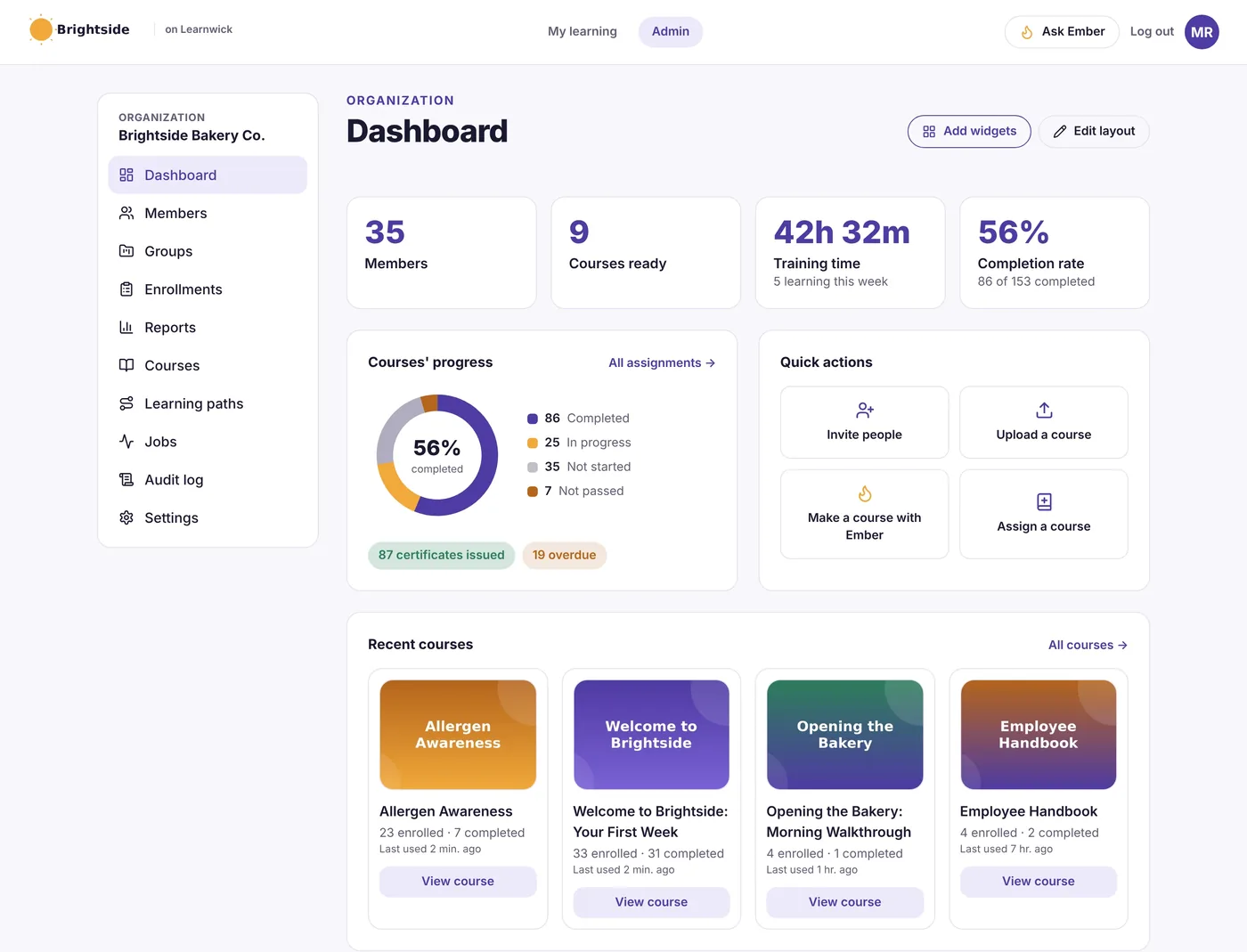
When training lives in spreadsheets and group chats
Most small and growing businesses don't have a training department. Someone sends a PDF, asks people to read it, and tracks who did in a spreadsheet - until a new hire slips through, a certificate expires, or an auditor asks for proof nobody can find.
Learnwick LMS replaces that with one place where training is assigned, completed and recorded, and where the follow-up happens without anyone chasing.
What changes when you train with Learnwick
One place for all training
SCORM, video and PDF courses, quizzes, learning paths and certificates live in one workspace instead of shared folders.
Proof when you need it
Every completion is recorded with its score and date, and every certificate has a code anyone can check online.
No more chasing
Due dates, automatic reminders and manager emails do the follow-up, and the overdue report shows who is behind.
Renewals handled
Certificates can expire and re-assign the course automatically, so yearly refreshers don't depend on someone's memory.
Courses in minutes
Ember, Learnwick's AI assistant, turns a policy, SOP or handbook into a draft course and quiz for you to check and publish.
Priced for small teams
Free for up to 30 learners, then simple plans by learner count - no setup fee and no features held back.
From sign-up to first course in an afternoon
Create a free workspace
Sign up, add your logo and color, and set your time zone.
Add your people
Invite by email, import a CSV, or share a sign-up link. Put them in groups by team, store or client.
Add your courses
Upload SCORM, video or PDF, pick a ready-made course, or let Ember draft one from your documents.
Assign and track
Assign to a group with a due date. Learnwick sends reminders and issues certificates on its own.
What Learnwick LMS does
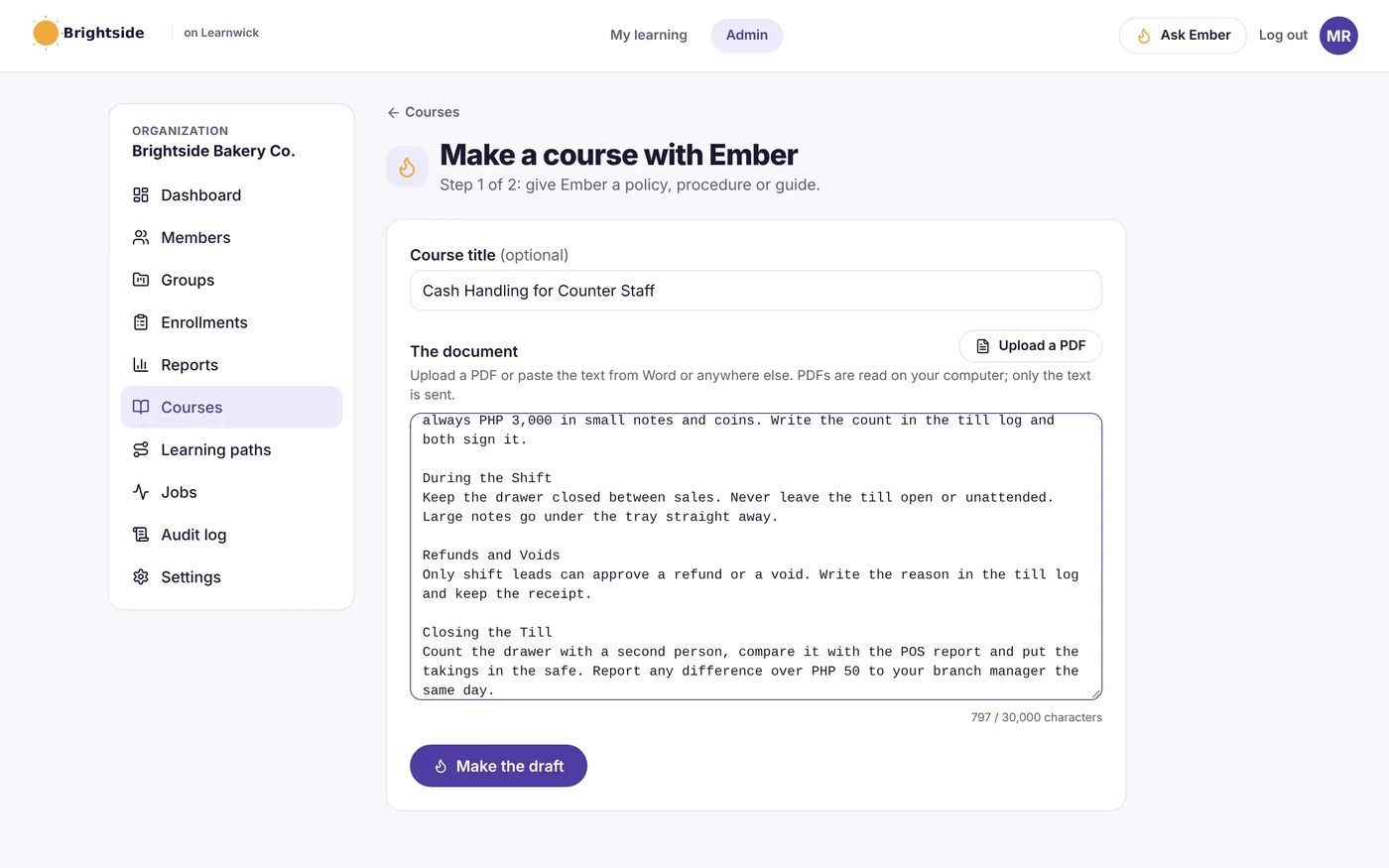
Turn your documents into courses
Paste a policy or upload a PDF or Word file, and Ember drafts the lessons and a quiz. You check every word before anything reaches your team.
- Lessons and quiz questions from your own material
- Translate a course into another language
- Suggests what to change when a policy is updated
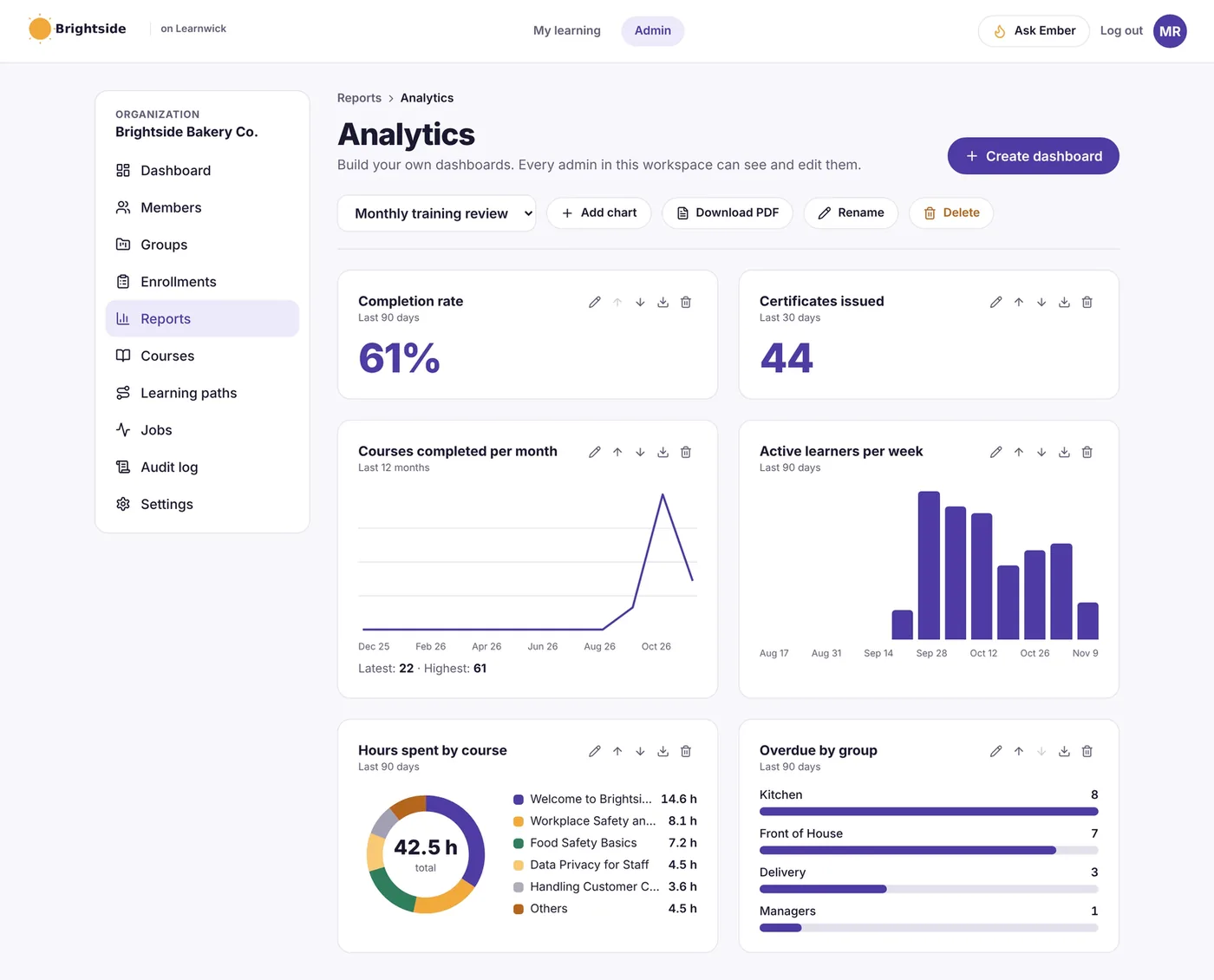
Know who has finished, who hasn’t, and why
Ready-made reports for completion, overdue training, quiz results and time spent, plus dashboards you build yourself. Export any of them to CSV or PDF.
- Training matrix: people by courses at a glance
- Quiz report with the questions people get wrong
- Custom reports and a weekly summary email
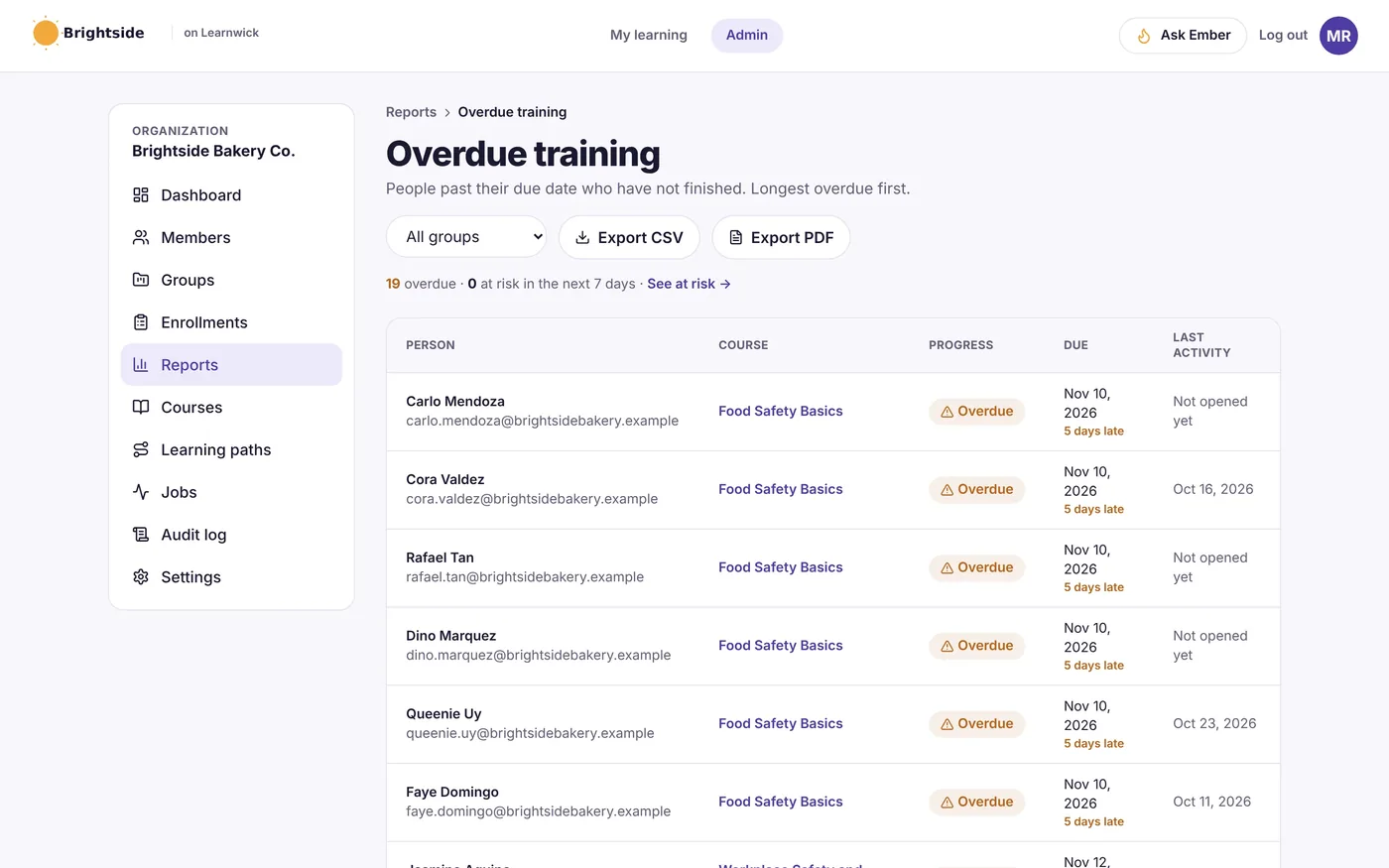
Assign once, let Learnwick follow up
Give a course to a group with a due date, and new people who join that group get it too. Reminders, overdue emails and manager summaries go out automatically.
- Groups that assign courses on their own
- "Next course" automation for onboarding paths
- Reminder emails in each learner’s language
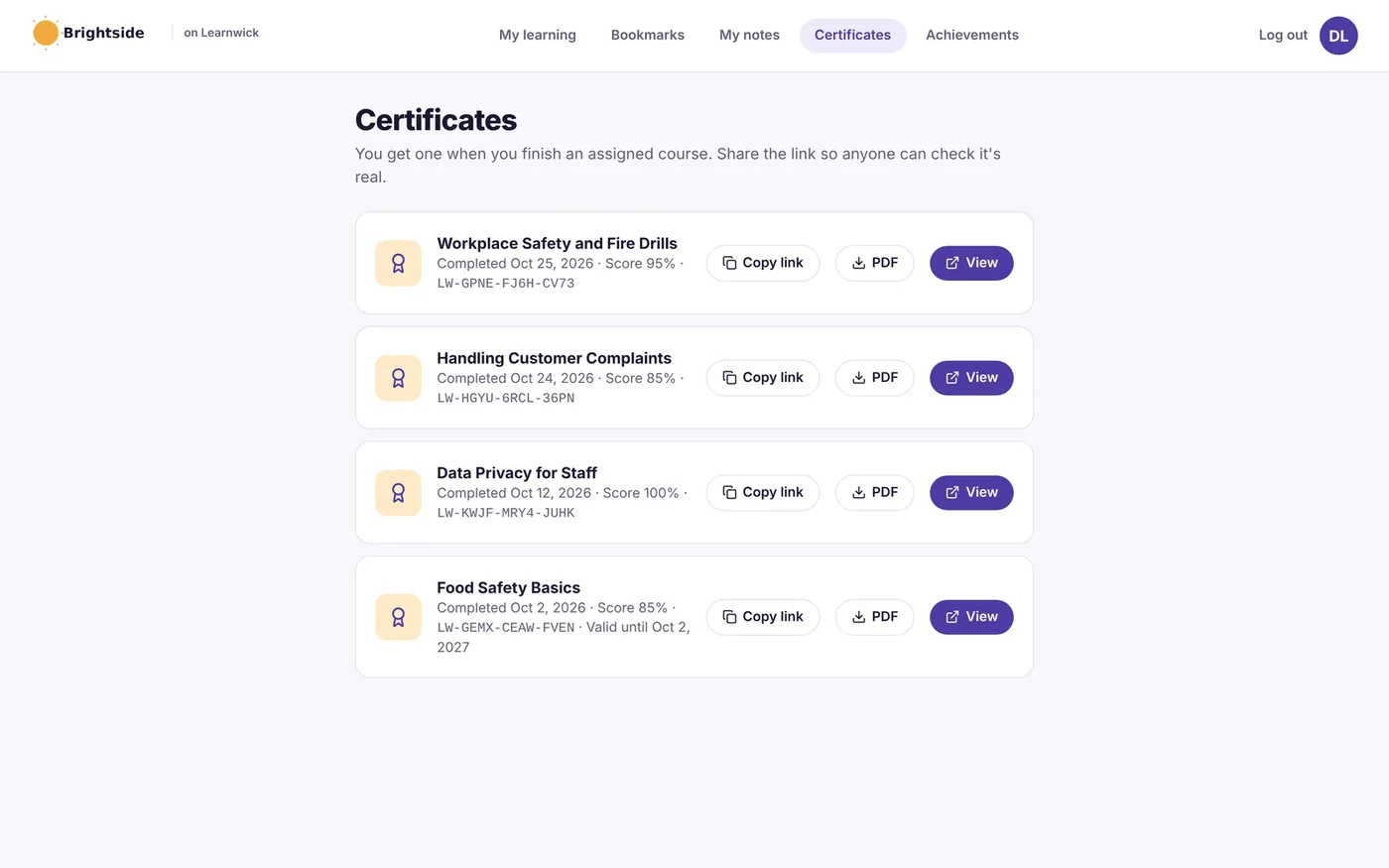
Certificates anyone can verify
Every completion can issue a PDF certificate with a unique code. Learners download or share it, and anyone can check it’s real on the verification page.
- Expiry dates and automatic renewal
- Your logo on every certificate
- Public verification page
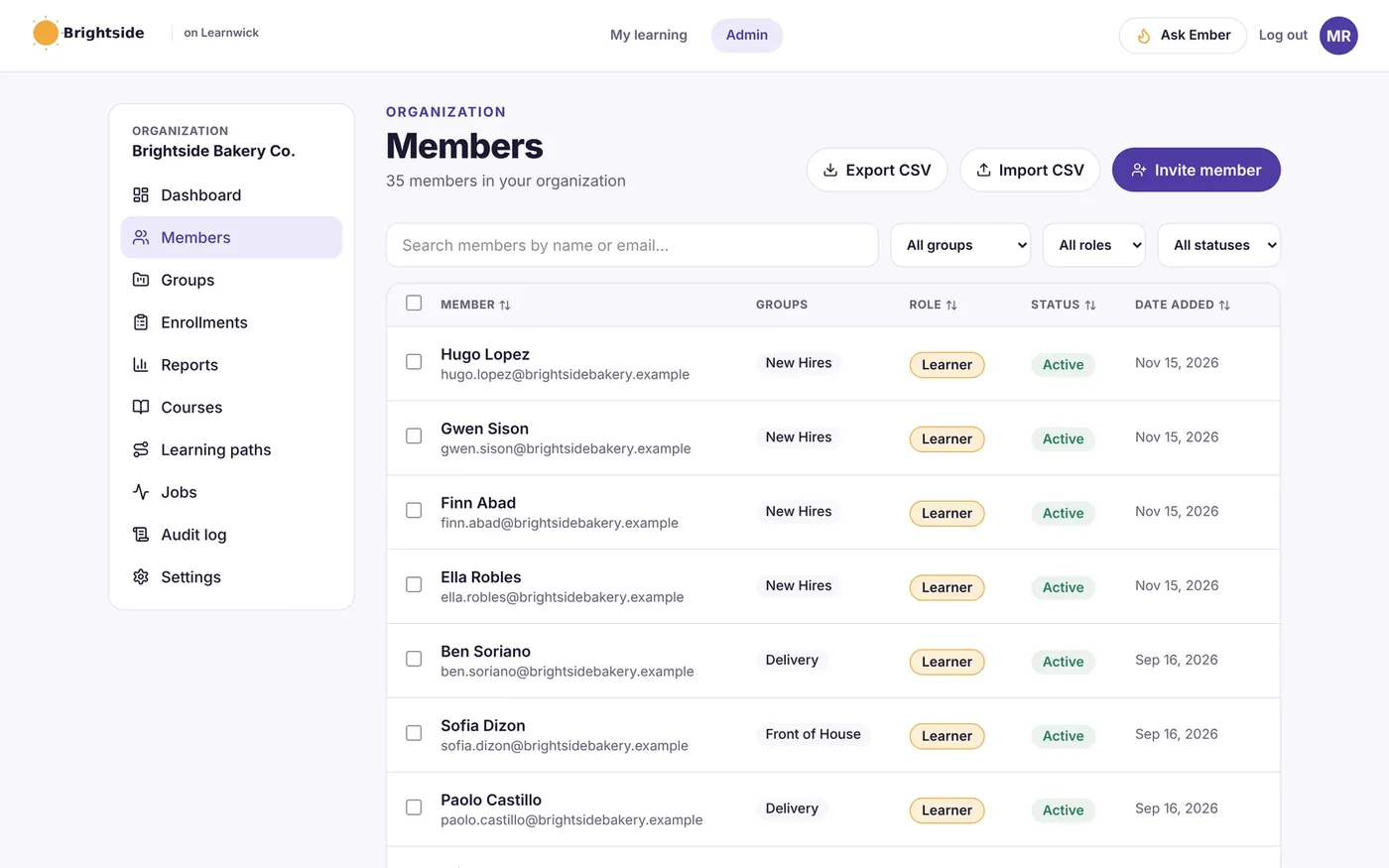
Organize people the way your business works
Groups by team, store, department or client, roles for admins and managers, and a sign-up link with optional email-domain rules.
- Invite by email, CSV or sign-up link
- Managers see only their own team
- Audit log of every change
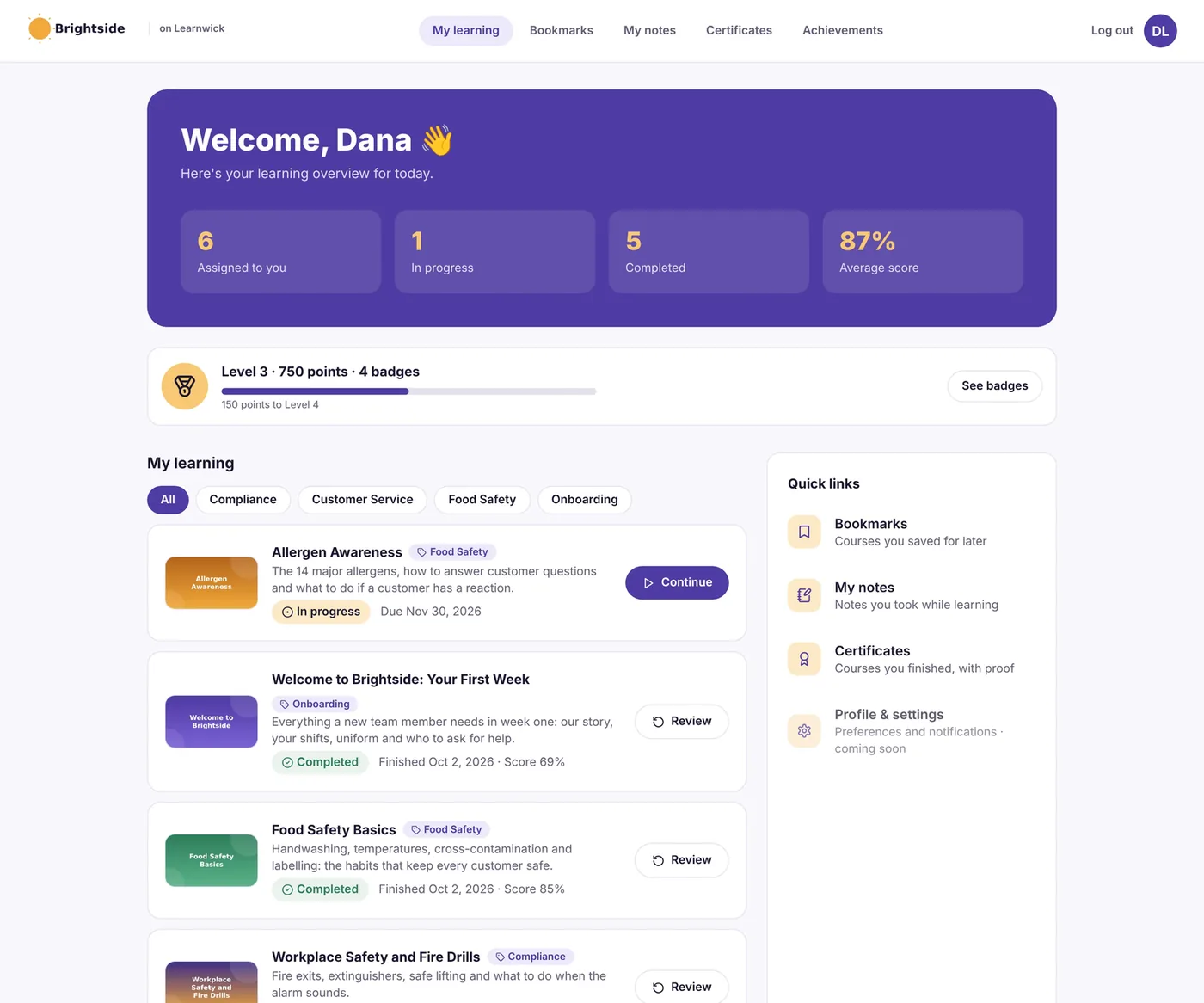
Simple for learners on any device
Learners see what’s assigned, what’s due and what they’ve finished, on a laptop or phone browser with nothing to install. Optional points, badges and a leaderboard keep it light.
- Works in any phone or laptop browser
- Bookmarks, notes and certificates in one place
- Optional points, badges and leaderboard
SCORM 1.2 and 2004
Upload packages from Storyline, Rise, iSpring or Captivate. SCORM LMS →
Quizzes
Pass marks, extra tries and quizzes on video and PDF courses. Quizzes →
Learning paths
Put courses in order for onboarding or certification. Learning paths →
Many languages
Translate courses with Ember and send reminders in learners’ own language. Multilingual LMS →
Who trains with Learnwick
Employee onboarding
Get new hires through week one with paths, check-ins and reminders.
Learn more →Compliance training
Assign required courses, track due dates and keep audit-ready records.
Learn more →Sales training
Product and pitch training with quizzes that show who is ready.
Learn more →Restaurants and retail
Short courses staff can take on their phones between shifts.
Learn more →Healthcare
Track required training and certificates that expire.
Learn more →Training companies
Keep each client’s learners, reports and certificates separate.
Learn more →Simple pricing by learner count
Every plan includes every feature. You only pay more when you have more learners.
| Plan | Learners | Billed yearly | Billed monthly |
|---|---|---|---|
| Free | Up to 30 | $0 | $0 |
| Starter | Up to 100 | $79 a month | $99 a month |
| Growth | Up to 500 | $239 a month | $299 a month |
| Business | Up to 1,000 | $399 a month | $499 a month |
| Enterprise | 1,000+ | Contact us | |
Prices in USD. No setup fee. See full pricing on learnwicklms.com →
Need courses or help running it?
Learnwick LMS is built by eLearning Solutions Lab, so the same team can fill it with courses and run it for you.
Custom eLearning development
SCORM-ready courses built around your training problem, at a fixed price.
See the service →Convert PowerPoint to eLearning
Turn existing decks into interactive courses.
See the service →LMS administration
We set up groups, enroll people and send the reports for you.
See the service →eLearning translation
Courses in 35+ languages for teams across countries.
See the service →Learnwick LMS questions
How much does Learnwick LMS cost?
It’s free for up to 30 learners. Starter is $79 a month billed yearly ($99 monthly) for up to 100 learners, Growth $239 for up to 500, Business $399 for up to 1,000, and Enterprise is quoted. Every plan has every feature.
What course formats does it support?
SCORM 1.2 and single-SCO SCORM 2004 packages, video and PDF courses with quizzes, courses built in its own editor, and ready-made courses.
Does it connect to our HR system?
Not yet. People can be added by email, CSV import or a sign-up link, and reports export to CSV or PDF. There’s no HR-system connection or xAPI support at present.
Who runs it day to day?
Most teams run it themselves - it’s built for people without a training department. If you’d rather not, our LMS administration service can run it for you.
Is there a mobile app?
No app is needed. Learnwick works in any phone, tablet or laptop browser, and progress saves as people go.
What languages does it support?
Courses can be translated with Ember, and reminder emails can go out in English, Filipino, Cebuano, Spanish or Indonesian. The app’s own menus are in English.
Where is our data hosted?
On Amazon Web Services in Sydney, Australia.
Who makes Learnwick LMS?
Learnwick LMS is built by eLearning Solutions Lab, the company behind this site.
Try Learnwick LMS free
Create a workspace, invite your team and assign your first course in an afternoon. Free for up to 30 learners, with every feature and no time limit - or book a 30-minute demo and see it with your own training.
Start FreeBook a DemoVisit learnwicklms.com